

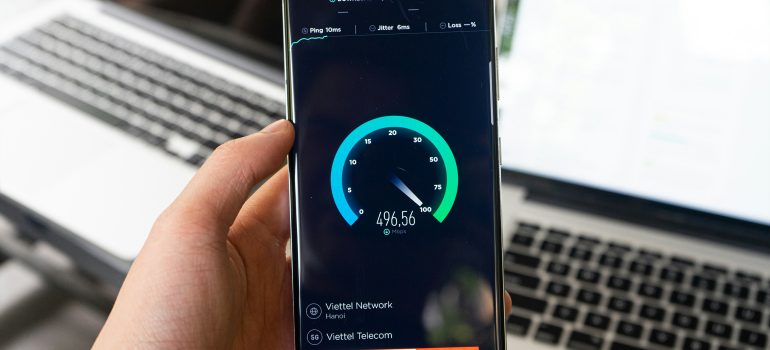
Bell Business Internet Plans: How to Choose the Right One for Your Business
A restaurant owner in Mississauga asked us to look at his internet after a bad Saturday: card payments hanging, the delivery tablet disconnecting, and a manager trying to run payroll in the back office on the same line. He had a plan. It just wasn’t built for what the building was now asking of it.
That’s usually the real issue with Bell Business Internet plans. The names and speeds are easy to read. Matching them to your devices, your layout and how much downtime you can tolerate is the hard part.
Not sure which tier fits your business? Call SARSH Solutions at +1 (365) 866-2628 and tell us how many staff, devices and locations you have. We’ll help you work out what’s worth comparing.
The Main Problem: Business Needs Outgrow the Plan
Most businesses don’t pick a plan once and revisit it. They sign up when they open, then add a card terminal, a few cameras, guest Wi-Fi, a cloud accounting tool and more staff. The connection stays the same while the load grows.
Typical results:
- Slow uploads when cloud backups, video calls and camera footage compete.
- Wi-Fi dead spots in the kitchen, storage room or back office.
- Payment or order interruptions during the busiest hour.
- Guests on the same network as POS and staff devices, which is a security concern.
The business impact is lost sales and wasted staff time, not just a slower internet connection.
What Bell Business Internet Plans Look Like
Bell’s small business pages describe a range of Business Fibe tiers. Bell’s current package page lists Business Internet 50 (50 Mbps down, 10 Mbps up), Business Fibe 500, and Business Gigabit Fibe 1.5, 3.0 and 8.0, plus Business Dedicated Internet for business-critical applications. For the 1.5 Gbps tier, Bell lists 1.5 Gbps maximum download and 940 Mbps maximum upload to the Giga Hub, with unlimited usage. bellbell
Which of these are offered depends on your address. Bell’s own pages note that offers are available to new customers in Ontario where access and technology permit, and that speeds can vary with configuration, traffic and other factors. bell
Two points from Bell’s explanation of how speeds work are worth remembering. First, all connected devices share the maximum speed delivered to the Bell Hub. Second, most devices on Wi-Fi reach somewhere between 150 and 350 Mbps, and office size can affect Wi-Fi speeds. A bigger tier doesn’t fix a coverage problem. bellbell
For Wi-Fi management, Bell’s Business Wi-Fi app is described as offering three Wi-Fi zones that keep business, employee and guest devices separate, a guest login portal and AI-based security features. That separation matters in a restaurant or shop where customers use your Wi-Fi. bell
Running a restaurant, shop or clinic? Send us your address and device list on WhatsApp, and we’ll help you see which Bell Business options are worth a closer look.
What Businesses Should Consider
Upload as well as download. Cloud software, video calls, backups and cameras depend on upload. Check the figure on each tier.
Number of devices and users. Count staff computers, POS, tablets, cameras, printers, guest devices and smart equipment.
Wi-Fi coverage and layout. Concrete walls, multiple floors and large footprints change the answer. Ask about the Wi-Fi equipment and how coverage will be handled.
Network separation. Staff, POS and guest devices should not share one open network.
Contract terms. Bell’s own promotion terms for a business Fibe offer mention a 3-year term, annual price increases, early cancellation charges and automatic renewal for the same period. Read the terms for whatever offer you’re looking at, and ask for them in writing. bell
Downtime tolerance. If an outage stops sales or payments, ask about backup connectivity, not just the primary plan.
Availability at your address. Confirm the exact location, including unit number in plazas and multi-tenant buildings.
Common Mistakes
Choosing the cheapest tier by default. It may work today and struggle once you add devices.
Choosing the biggest tier by default. More speed doesn’t fix poor Wi-Fi placement.
Putting guests on the business network. Separate guest access from POS and staff devices.
Ignoring the contract mechanics. Check the term, annual increases, cancellation charges and renewal rules.
Skipping backup. If one outage costs you a Saturday’s sales, plan for it.
Assuming availability. Confirm what’s offered at your address before planning around it.
Available Solutions
This is a general comparison based on the options Bell describes. Pricing, speeds and terms depend on your address and current offers.
| Option | Often suits | Watch for | Ask |
|---|---|---|---|
| Entry-level Business Fibe (e.g. Business Internet 50) | Very small offices with light use | Upload limits as devices grow | Will this still fit if I add staff or cameras? |
| Mid-tier Business Fibe (e.g. Business Fibe 500) | Small offices, shops, restaurants with several users and devices | Wi-Fi coverage still matters | What Wi-Fi equipment is included? |
| Gigabit Business Fibe (1.5, 3.0, 8.0) | Larger teams, cloud-heavy work, many devices | Cost, contract terms | Do I actually need this tier? |
| Business Dedicated Internet | Business-critical apps, hosting, multi-tenant or larger sites | Cost, installation scope | What’s the lead time and what’s included? |
| Managed Wi-Fi / Business Wi-Fi app | Multi-zone spaces, guest networks | Design and placement | Who sets it up and supports it? |
| Backup connection | Businesses that can’t afford to go offline | Extra cost | What fails over, and how fast? |
None of these is automatically best. A five-person office and a busy takeout restaurant need different answers, and the right choice follows the work, not the label.
How to Choose
- List what depends on the connection: POS, orders, cameras, cloud tools, calls, guest Wi-Fi.
- Count devices and users, including guests.
- Confirm availability at your exact address.
- Check upload speed, not just the headline download.
- Plan the Wi-Fi: coverage, zones and where the equipment goes.
- Read the contract terms: length, annual increases, cancellation, renewal.
- Decide your downtime tolerance and whether a backup is justified.
- Get the full offer in writing.
Business Checklist
- I’ve listed every system that depends on the internet.
- I know how many staff and guest devices connect.
- I’ve confirmed availability at my exact address.
- I’ve compared upload speed on each tier.
- I know how Wi-Fi will cover the whole space.
- Guest, staff and POS devices are separated.
- I know the contract length, annual increases, cancellation charges and renewal rules.
- I’ve decided whether I need backup connectivity.
- I have the full offer in writing.
If a few of those boxes are still open, SARSH Solutions can talk through your setup and the Bell business connectivity options that may fit. Call +1 (365) 866-2628 or visit https://sarshsolutions.ca/contact/.
FAQs
1. What Bell Business Internet plans are available?
Bell’s business pages list Business Fibe tiers from entry level up to Gigabit Fibe 8.0, plus Business Dedicated Internet. Which ones you can get depends on your address.
2. Which plan does a restaurant or small shop need?
It depends on the number of devices, POS and camera use and how much you upload. A mid-tier plan often suits small shops, but check your own load and Wi-Fi coverage.
3. Do Bell Business Internet plans have data caps?
Bell’s business Fibe pages list unlimited monthly usage for the plans I reviewed, but confirm the current terms for the specific plan you’re considering.
4. Are there long contracts on business internet?
Some promotional offers have multi-year terms with annual price increases, early cancellation charges and automatic renewal, according to Bell’s own terms. Always read the terms for your specific offer.
5. Do I need a backup connection?
If an outage would stop sales or payments, it’s worth discussing. Backup options and costs depend on your location and needs.
Internal Links
- Best Business Internet Plans in Canada (homepage) → https://sarshsolutions.ca/
- Fibre Internet → https://sarshsolutions.ca/fibre-internet/
- Dedicated Fibre Internet → https://sarshsolutions.ca/dedicated-fibre-internet/
- Bell Business Mobility Plans → https://sarshsolutions.ca/bell-business-mobility-plans/
- Contact SARSH Solutions → https://sarshsolutions.ca/contact/
- Restaurant internet setup guide → Recommended future page
Why Business Owners Choose SARSH Solutions
Most owners who contact us aren’t looking for the biggest number on a plan sheet. They want someone to listen to how their restaurant, shop, office or building actually runs, then explain the options in plain language. SARSH Solutions is an authorized Bell sales partner, so we can help you understand your requirements and explore suitable Bell business connectivity options. We’ll tell you when a simpler plan is enough and when it isn’t. Availability, pricing and terms depend on your address and Bell’s current offers, and we’ll confirm them with you before you decide.
SARSH SOLUTIONS
Phone: +1 (365) 866-2628
Website: https://sarshsolutions.ca/
“Need help choosing the right Internet solution for your restaurant, commercial building or business? Contact SARSH Solutions to discuss your requirements.”